Nebular 3D Text Component
Generate and use 3D text in Unity from TrueType fonts.
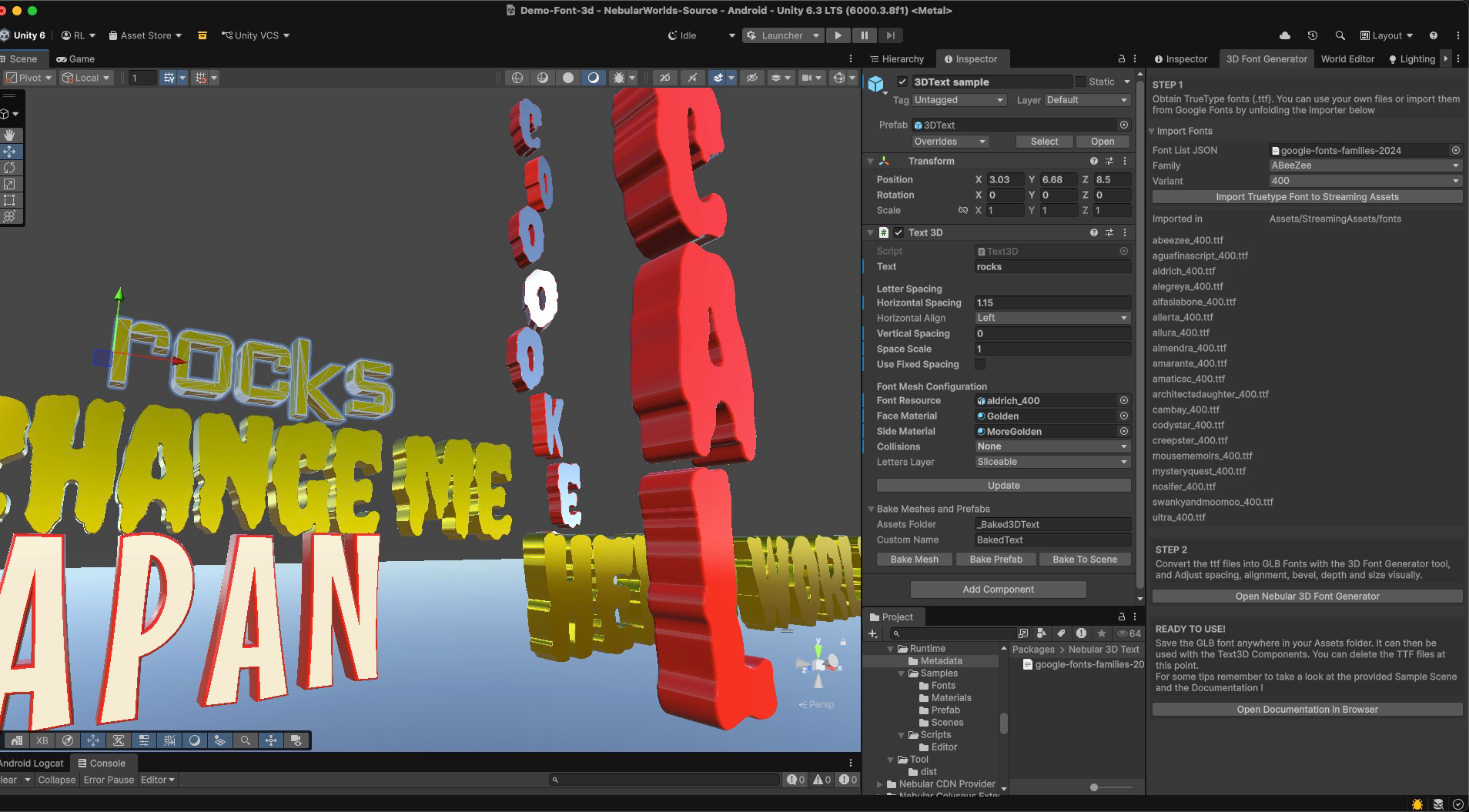
This package combines a runtime Text3D component, an editor baking pipeline, and the Nebular 3D Font Generator — a visual tool to create and adjust font atlases from TTF or Google Fonts.
Quick Start
- Download the package
- Read the usage guide for instructions on how to install and use the package.
Full Description
The Nebular 3D Text Component provides a complete workflow to turn fonts into real 3D geometry.
It covers both:
- runtime usage via the Text3D component
- editor workflows via the Font Generator and baking tools
Fonts can be imported from local .ttf files or directly from Google Fonts, then adjusted visually and exported as optimized meshes.
✨ Features
Text3D Component (Runtime + Editor)
Generate 3D text directly in scenes or at runtime from strings, with features like Horizontal, Diagonal and Vertical Flow.Google Fonts Integration
Import fonts directly inside Unity from the Font Generator Tool.3D Font Generator
Visual tool to build font atlases from TTF files, adjust spacing, bevel, depth and alignment, and export as GLB. This tool is also separate available as the online 3d-font-generator toolTTF Drag & Drop Workflow
Import and generate fonts from local files in seconds.Editable Layout System
Fine-tune glyph spacing, offsets, and alignment visually.Factory Mode
Generate full glyph sets and reusable font assets.
⚡ Workflows
Realtime Workflow
Use the Text3D component to generate text dynamically, and change text programmatically from strings.
Ideal for user-generated content, labels, and procedural systems.
This approach is flexible and lightweight, but relies on simplified spacing rules.
Editor Workflow
Use the Text3D component together with the Nebular 3D Font Generator to design and refine text visually, then convert the final geometry into optimized static objects. The Text3D component provides the following baking options:
Bake to Scene
Replaces the procedural Text3D setup with a static combined mesh directly in the scene.
Useful for quickly finalizing text without creating assets.Bake to Mesh Asset
Generates a reusable.assetmesh in your project.
Ideal for reuse across multiple objects.Bake to Prefab
Creates a prefab with mesh, renderer, and collider setup.
Best suited for reusable scene elements.
🎯 Use Cases
- Environmental signage
- Player names and labels
- World decoration
- Procedural or user-generated content
❓ FAQ
Q: Spacing looks off with some fonts (especially irregular or complex fonts like handwritten styles). Why?
The runtime component is optimized for performance and does not implement the full typographic spacing rules used by font engines (kerning, ligatures, etc).
Instead, it uses simple per-glyph values (width, offsets) generated and adjusted in the visual tool.
For many fonts this works well, but for more complex typefaces spacing may require manual adjustment.
For those cases, it is recommended to:
- tweak spacing in the Font Generator
- or bake the result into meshes/prefabs instead of relying on fully dynamic text
Q: Does this support kerning / ligatures?
No. The system intentionally avoids complex font layout logic to remain lightweight and predictable.
All spacing is controlled visually and stored per glyph.
Q: Can I use this for dynamic user-generated text?
Yes. The Text3D component supports runtime generation from strings.
For highly stylized fonts, some manual tuning may be needed.
Q: What is the difference between runtime and baking?
- Runtime (Text3D): flexible, dynamic, slightly less precise
- Baked meshes/prefabs: fully optimized, exact visual result, best for static content
Q: Are generated assets dependent on this package?
No. All outputs are standard Unity meshes and prefabs.
They can be used independently without runtime dependencies.
✏️ Notes
Nebular 3D Text generates real geometry with no runtime dependencies.
All generated assets are standard Unity meshes and can be used freely in your project (subject to the license of the specific font files that you use)
📃 License
Check out the License for this package